
 Designing a Teaching Whiteboard
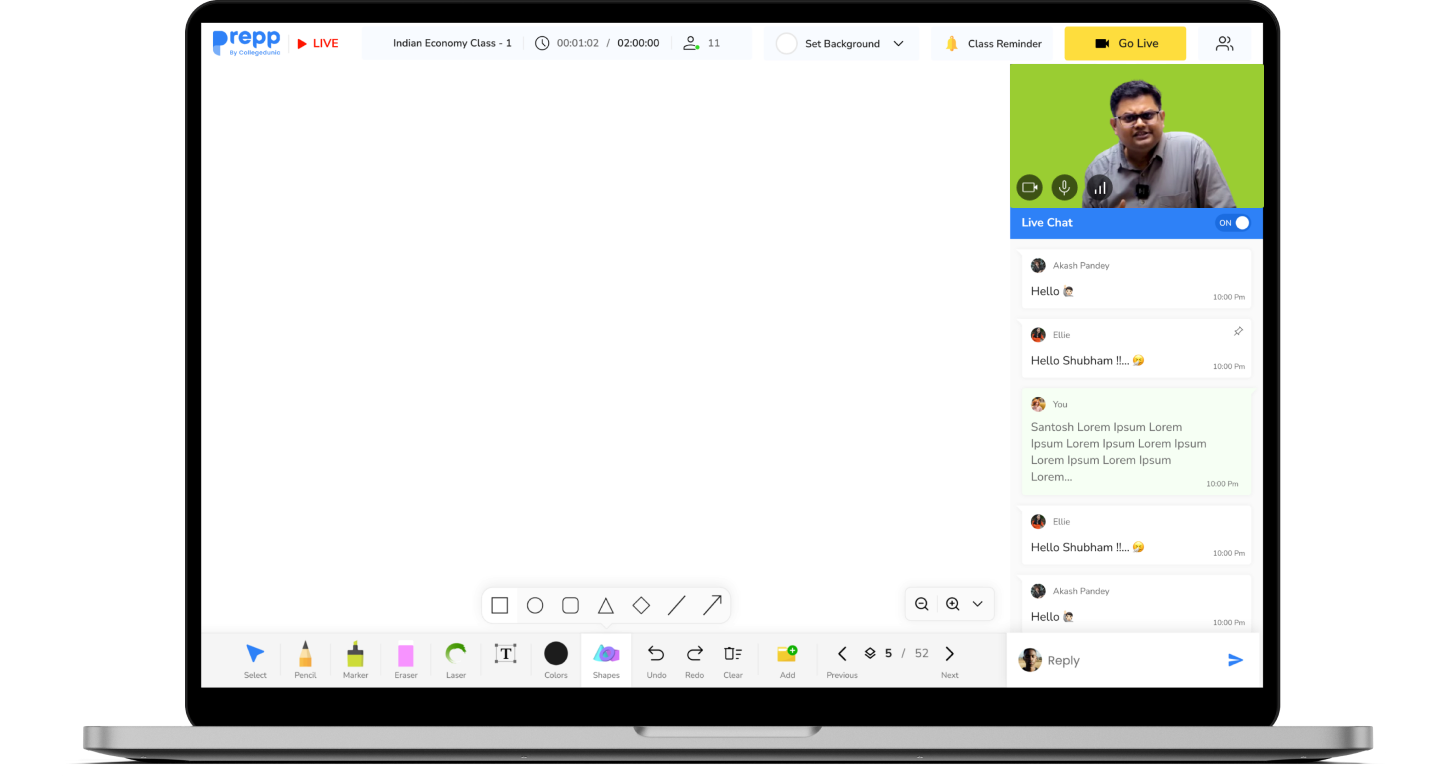
Project Overview
Problem Statement
Prepp educators face difficulties in delivering personalized and effective teaching experiences due to the lack of a comprehensive and user-friendly platform that provides necessary tools and resources. Additionally, managing timetables and courses efficiently remains a challenge, impacting their ability to teach various student groups in their preferred style.
Project Objective
This internal product is designed to offer a personalised and comprehensive teaching experience to Prepp educators. It provides a wide range of tools and features that enable educators to interact with the platform and effectively teach various student groups. The product focuses on empowering educators to teach in their preferred style and equips them with the necessary resources.
The instructor scheduling board allows educators to follow a dedicated timetable and create and manage courses according to their requirements.
The Scope of Work

- Stakeholder Interview
- Competitors Analysis
- Mood Board
- High Fidelity Wireframes
- Iterate Design
- Visual Conception
- Final Design
- Icons
- User testing after development because it's an internal whiteboard
Team Strength
(4 Members)
Nikunj Chaurasiya
Sr.UX/UI Designer

Ankit Dubey
AVP Product Pepp

Avishek Pandey
Prepp IAS Head

Shubham Chauhan
Associate Product Manager
My Role
I design an internal product that gives Prepp educators a personalized and comprehensive teaching experience. I create tools and features that help educators interact with the platform easily and teach different student groups effectively. My goal is to empower educators to teach in their own style and provide them with all the necessary resources.
I also manage the design and implementation of the instructor scheduling board, which helps educators follow a set timetable and create and manage courses as needed. My role is to improve the overall teaching experience by delivering a robust, user-friendly platform that meets the needs of Prepp educators.
Research
Stakeholder Interview
Questions
How do you currently use the existing teaching platforms or tools?
How do you interact with the current platform on a daily basis?
What are the biggest challenges you face with the current teaching tools and platforms?
Are there any specific tools (e.g., Select Tool, Pencil Tool) that you frequently use or wish were more efficient?
Are there specific features or functionalities that you find lacking or difficult to use?
How do you manage your teaching schedule and course materials currently?
What key features or tools would you like to see in a new teaching digital board?
How do you currently engage with students during your lessons?
What kind of annotation and highlighting features would be most useful for your teaching style?
How important is customisation (e.g., background images, colors, textures) for your teaching experience?
Indirect Competitive Analysis
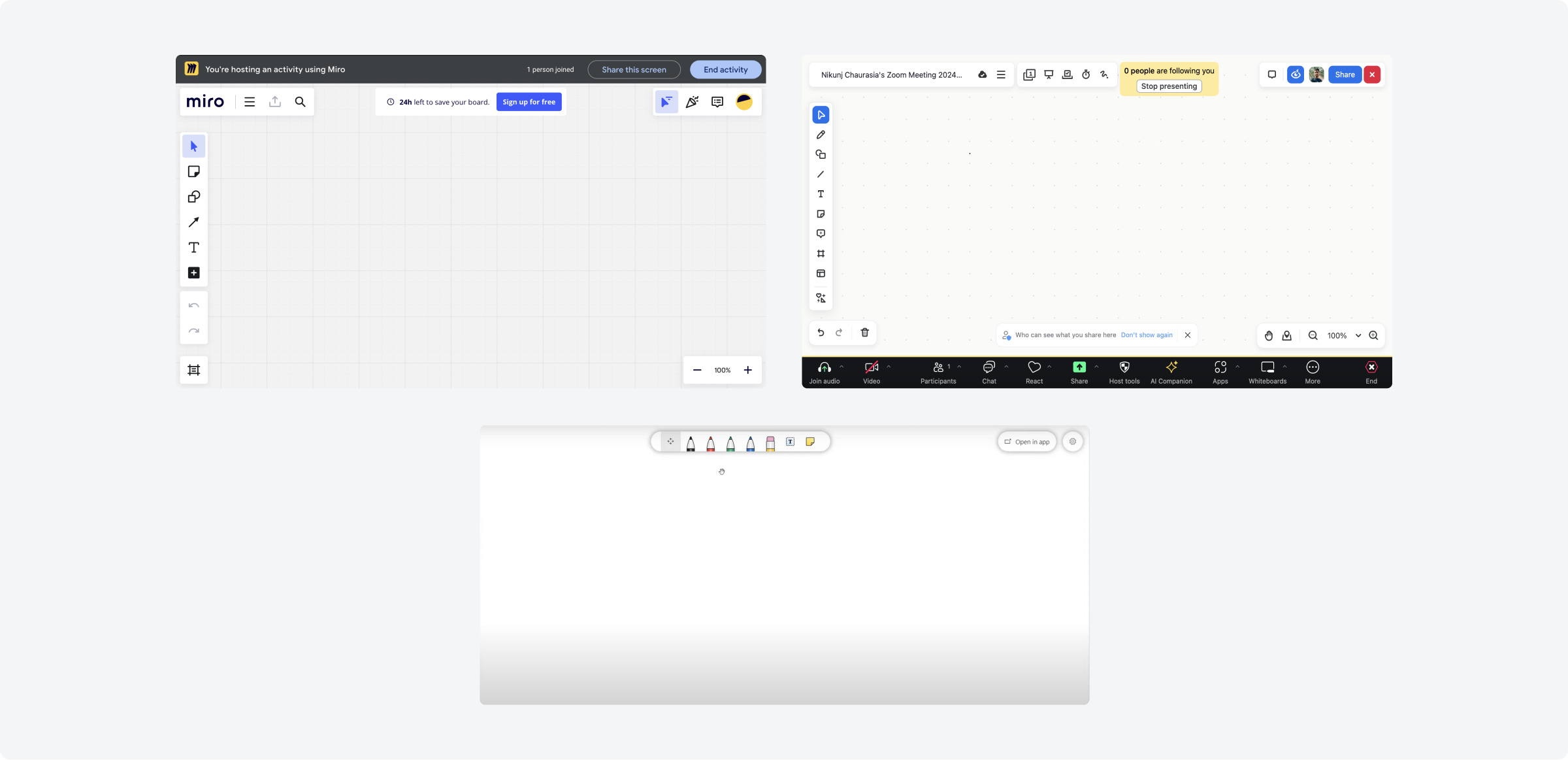
After conducting interview surveys, I chose three popular whiteboards used by internal mentors and educators in the company. I analyzed the features and design working behavior of the app.

| Zoom | Microsoft Team | Miro | |
|---|---|---|---|
| Easy of Use | Easy | Easy | Easy |
| Navigation | Easy | Easy | Easy |
| User Interface | Easy | Easy | Easy |
| Tools | |||
| Select | Available | Available | Available |
| Pencil | Available | Available | Not Available |
| Marker | Not Available | Not Available | Not Available |
| Eraser | Not Available | Not Available | Not Available |
| Laser | Not Available | Not Available | Not Available |
| Text | Available | Available | Available |
| Color | Available | Available | Available |
| Shapes | Available | Not Available | Available |
| Undo/Redo | Available | Not Available | Not Available |
| Clear/Delete | Available | Not Available | Not Available |
| Add File/Slides | Not Available | Not Available | Not Available |
| Previous and Next Slide | Not Available | Not Available | Not Available |
| Layers | Available | Not Available | Not Available |
| Zoom in and Out | Available | Available | Available |
| Background | Not Available | Not Available | Not Available |
| Sticky | Available | Available | Available |
Ideation
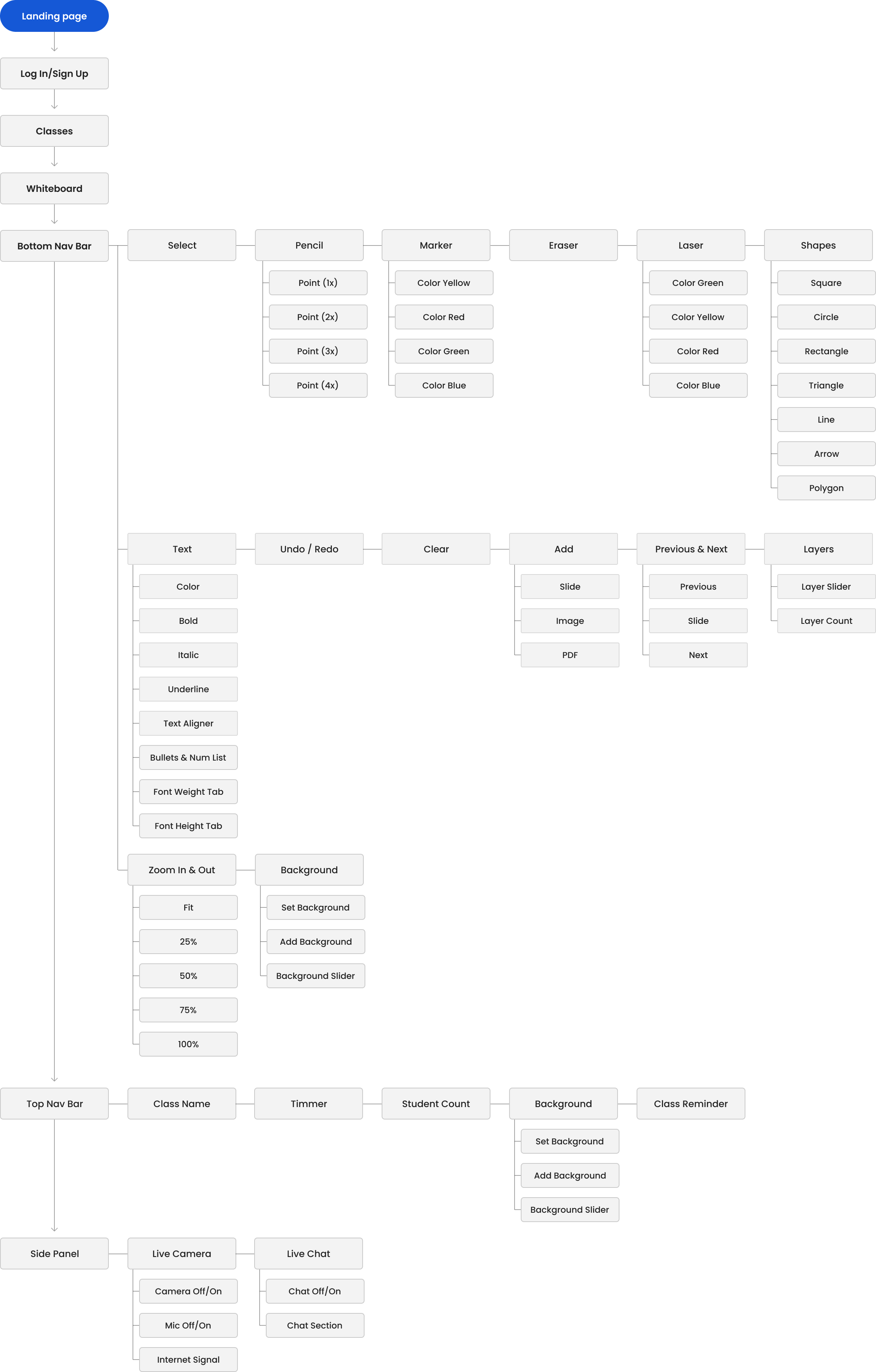
Information Architecture
The insights gathered from the interviews played a crucial role in our design process, allowing us to focus on specific themes and styles that were central to our decision-making. The mood board reflects the visual direction and emotional tone we aim to achieve, incorporating elements such as color schemes, typography, imagery, and textures that resonate with our target audience and enhance the overall user experience.
Mood Board
The insights gathered from the interviews played a crucial role in our design process, allowing us to focus on specific themes and styles that were central to our decision-making.
Purpose of Tools and Design
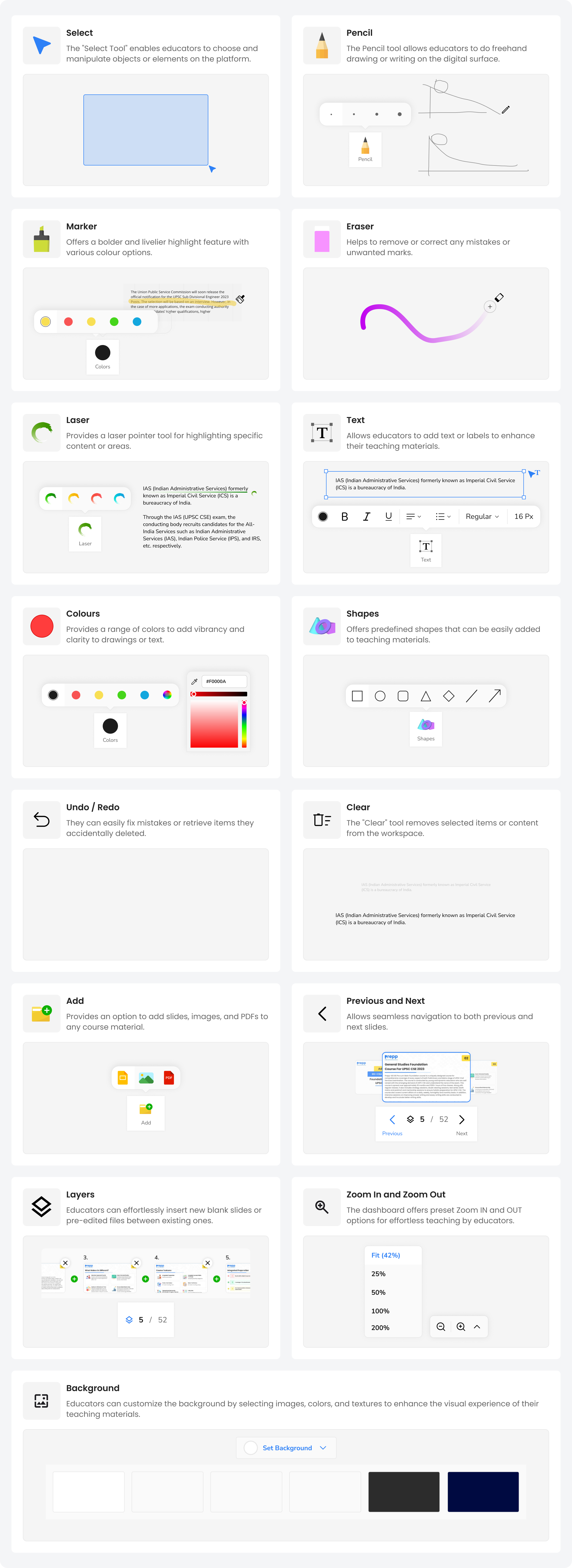
What's the purpose of providing these tools on the internal white teaching board?
The purpose of providing these tools on the internal white teaching board is to make teaching easier and more effective for Prepp educators. With these resources, educators can interact with the platform seamlessly, manage their schedules, create and manage courses, and teach various student groups efficiently. Ultimately, these tools are designed to support educators in their preferred teaching styles and provide everything they need to succeed.
Thank you for scrolling and watching the case study.